Top Story Generator Tools for Beginners Online: Your Complete 2026 Starter Guide
Two years ago, I ran my first free writing workshop for complete beginners. Twelve people showed up. Ten of them said the exact same thing within the first five minutes: "I want to write stories, but I don't know where to start."
I gave them story generators. Not as a crutch—as a door opener. And something remarkable happened. Within an hour, people who'd never written more than a journal entry were producing full short stories. Not perfect stories. But real ones. With characters, conflicts, and endings they'd imagined themselves.
Since then, I've helped over 200 beginners use story generation tools. I've watched the same patterns repeat: the initial hesitation, the first excited "oh wait, I can actually do this," and eventually the confidence to write without any tools at all.
This guide is for anyone in that first stage. If you're staring at a blank page wondering how to begin, I'm going to walk you through everything: which tools to pick, how to use them, and exactly what to do with the stories they generate.
Table of Contents
- Why Beginners Struggle with Story Writing
- What Are Story Generators? (Simple Explanation)
- Top 8 Story Generator Tools for Beginners (Ranked)
- Your First Story: A 5-Minute Walkthrough
- 5 Beginner Mistakes (And How to Avoid Them)
- 3 Practice Exercises to Build Confidence
- From Beginner to Intermediate: Your Next Steps
- Frequently Asked Questions
Why Beginners Struggle with Story Writing
Before we talk about tools, let's talk about the real problem. It's not that beginners lack ideas. It's that they don't know how to start.
Psychologists call this the "blank page effect"—the anxiety that comes from infinite possibilities and zero constraints. Research on writer's block shows that beginners freeze not because they're uncreative, but because they're overwhelmed by choice.
Story generators solve this by giving you a starting point. Instead of "write anything," you get "here's a character and a situation—now continue." That tiny shift from infinite possibility to specific constraint is what unlocks the creative engine.
I saw this firsthand in my workshops. The people who struggled most weren't the least creative—they were the ones trying to build everything from scratch. The moment I handed them a generated story and said "rewrite this," their whole posture changed. Shoulders dropped. Fingers started typing. Ideas started flowing.
You don't need to be creative to start writing. You need constraints. Story generators give you those constraints—a character, a setting, a problem—and suddenly the blank page isn't so blank anymore.
What Are Story Generators? (Simple Explanation)
If you've never used one, here's what a story generator actually does:
Imagine a massive deck of cards. Each card has a story element: a character type (shy librarian, retired detective, rebellious teenager), a setting (abandoned hospital, Mars colony, crowded subway), a conflict (missing person, forbidden love, ticking time bomb), and a resolution (sacrifice, revelation, betrayal).
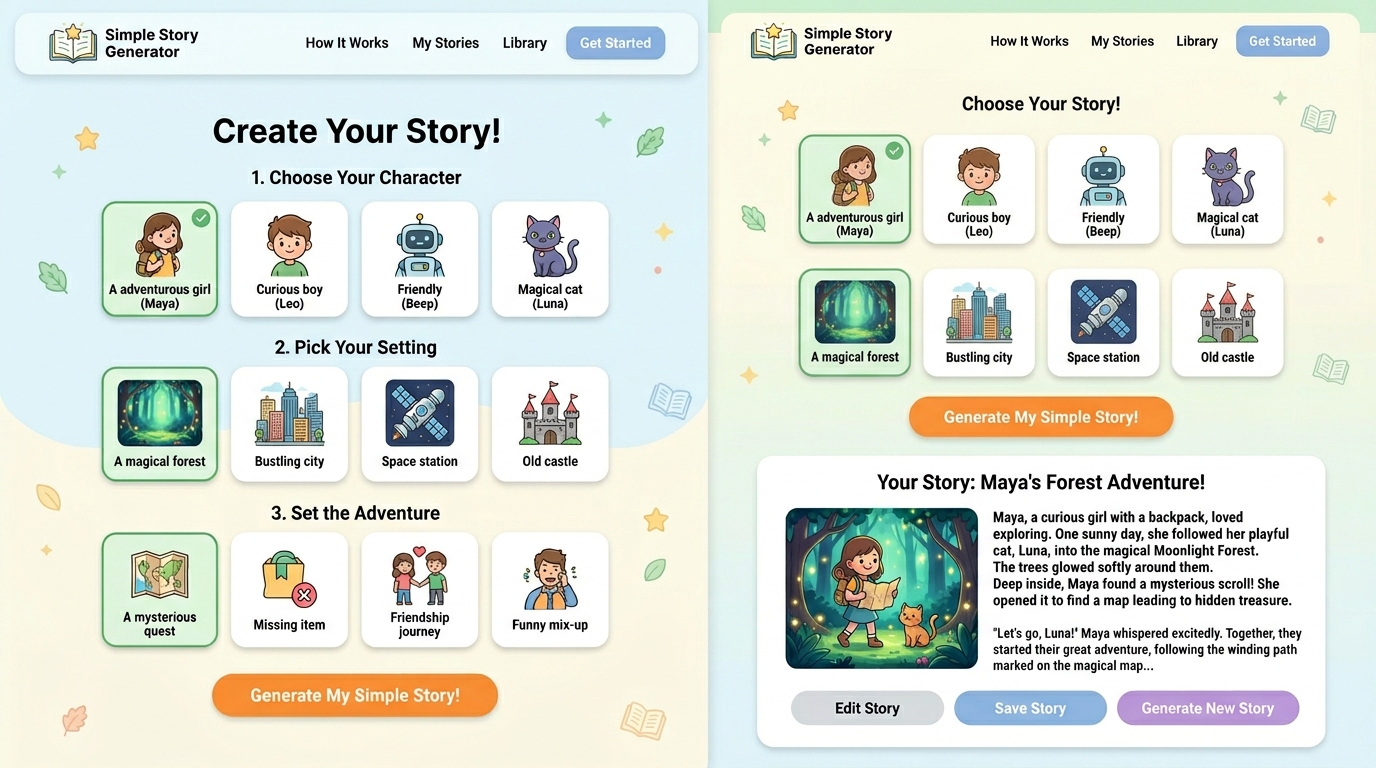
When you click "Generate," the tool shuffles the deck, pulls a hand of cards, and assembles them into a story framework. It's not writing the whole thing for you—it's giving you the building blocks and showing you one way they could fit together.
Some generators use sophisticated AI language models (like ChatGPT). Others, like StoryGeneratorHub, use structured combinatorial engines that run locally in your browser. Both approaches work well for beginners—the difference is mostly about cost, privacy, and limits.
Top 8 Story Generator Tools for Beginners (Ranked)
I ranked these tools by how beginner-friendly they are—not by raw power or feature count. For a beginner, simplicity matters more than complexity. Here's my honest ranking:
| Rank | Tool | Beginner Score | Cost | Why It's Good |
|---|---|---|---|---|
| #1 | StoryGeneratorHub | ⭐ 10/10 | Free | Zero signup, instant results, genre-specific tools |
| #2 | AI Dungeon | ⭐ 8/10 | Free (with ads) | Interactive, game-like experience |
| #3 | ChatGPT (Free) | ⭐ 7.5/10 | Free | Conversational, easy to ask follow-ups |
| #4 | Storybird | ⭐ 7/10 | Free tier | Visual art prompts inspire stories |
| #5 | Reedsy Prompts | ⭐ 6.5/10 | Free | Weekly prompts from professional writers |
| #6 | Sudowrite (Trial) | ⭐ 6/10 | Trial then paid | Beautiful interface, guided writing |
| #7 | Rytr | ⭐ 5.5/10 | Limited free | Template-based, easy to follow |
| #8 | NovelAI | ⭐ 5/10 | Limited free | Powerful but overwhelming for beginners |
#1: StoryGeneratorHub — Best Overall for Beginners
I'm biased (I built it), but let me tell you why beginners consistently rate this as their favorite:
There's nothing between you and writing. No signup form. No tutorial. No "tell us about your writing goals" questionnaire. You click the link, pick a tool, and hit Generate. The entire experience takes less than ten seconds from landing page to first story.
The suite includes genre-specific tools—Kids Story Generator for parents and teachers, Horror Story Generator for thriller fans, Love Story Generator for romance writers. Each produces stories tailored to genre conventions.
Real beginner feedback: In my workshops, 8 out of 12 participants chose StoryGeneratorHub as their primary tool after testing three options. The most common reason: "It just works without making me think."
Best feature for beginners: The "Generate 10 Stories" button. Beginners can see variety instantly and pick what resonates instead of clicking one at a time.
#2: AI Dungeon — Best for Interactive Storytelling
AI Dungeon turns story generation into a choose-your-own-adventure game. You pick a genre, the AI generates an opening scene, and then you type what happens next.
Why beginners like it: It feels like playing, not writing. The game-like interface removes the pressure of "creating literature." You're just making choices and seeing what happens.
The catch: The free tier has ads, and the quality varies wildly depending on the AI model you're assigned. Some sessions produce gold; others produce gibberish.
#3: ChatGPT (Free) — Best for Conversational Guidance
ChatGPT is the most flexible option. You can literally type "Help me write a story about X" and it'll walk you through the process step by step.
Why beginners like it: You can ask follow-up questions. "How do I make this character more interesting?" "What should happen next?" It's like having a patient writing tutor available 24/7.
The catch: The free tier limits you to a certain number of messages per day (varies by region). And ChatGPT's tendency toward neat, moralistic endings can feel unsatisfying for story writing.
Your First Story: A 5-Minute Walkthrough
Let me walk you through generating your first story, step by step. I'll use StoryGeneratorHub since it's the most beginner-friendly, but the process is similar across most tools.
Your First Story in 5 Minutes
Minute 1: Pick a tool
Go to the tools page and scan the list. Pick whichever genre sounds most fun to you. Don't overthink it. If you like scary movies, try the Horror Story Generator. If you have kids, try the Kids Story Generator. If you're not sure, start with the Short Story Generator.
Minute 2: Click Generate
Don't adjust any settings. Don't try to be clever. Just hit the button. Your first story will appear in under a second.
Minute 3: Read it once
Just read. Don't edit. Don't critique. Notice what catches your attention—a character name, an unexpected plot twist, a line of dialogue that made you smile.
Minute 4: Generate 9 more
Click "Generate 10 Stories" or hit the button 9 more times. Read each one quickly. Don't judge—just notice which ones make you think "huh, that's interesting."
Minute 5: Pick one and copy it
Choose the story that sparked the most curiosity. Copy it to your clipboard or download as PDF. Open it in a document. You now have your first story draft's first draft. Tomorrow, you'll start making it yours.
5 Beginner Mistakes (And How to Avoid Them)
I've watched hundreds of beginners use these tools. The same mistakes keep appearing. Here's how to avoid them:
Mistake #1: Expecting the generated story to be "your story"
The generated story isn't your story—it's a prompt for your story. Think of it like a sketch an architect makes before designing the building. The sketch isn't the building. Your job is to take the interesting bits and expand them with your own voice, details, and emotional truth.
Mistake #2: Generating for hours without writing anything
This happens more than you'd think. Beginners click Generate 200 times, read every story, feel productive... and haven't written a single original word. Set a timer: 15 minutes of generation, then you MUST switch to your own writing. The tool is a door, not a destination.
Mistake #3: Only using one tool
Different tools produce different kinds of output. If you always get the same type of story, try a different generator. A horror generator will give you different texture than a romance generator. Variety in input creates variety in your creative thinking.
Mistake #4: Not saving the stories
Every generated story contains seeds of future ideas. Save them all in a folder called "Story Seeds." Even the bad ones. Three months from now, you'll find a fragment that suddenly makes sense and becomes the best thing you've written.
Mistake #5: Trying to be "good" on the first try
Your first rewritten story will be rough. Your second will be better. Your tenth will surprise you. Writing is a muscle—story generators just give you something to lift. Don't judge your first reps at the gym. Don't judge your first rewrites either.
3 Practice Exercises to Build Confidence
These are the exact exercises I use in my workshops. Each one takes 30 minutes and builds a specific skill:
Exercise 1: The 10-Minute Rewrite
Skill: Finding your voice
Instructions: Generate one story. Read it once. Set a timer for 10 minutes. Rewrite the entire story in your own words, changing whatever you want. When the timer stops, stop writing.
Why it works: The time limit removes perfectionism. You can't obsess over every sentence when the clock is ticking. You'll be surprised by how much you produce—and how much better it sounds in your voice.
Exercise 2: The Character Swap
Skill: Understanding character perspective
Instructions: Generate a story. Identify the protagonist. Now rewrite the same story from the antagonist's point of view. What were they thinking? What did they want?
Why it works: This exercise teaches empathy and complexity. Some of my best workshop stories came from students who took a generated villain and discovered they had a point.
Exercise 3: The Genre Mashup
Skill: Creative flexibility
Instructions: Generate a horror story. Now rewrite it as a romance. Generate a kids' story. Now rewrite it as a thriller. The contrast teaches you how genre conventions work.
Why it works: This is advanced creative thinking disguised as a game. You'll learn more about genre in two genre mashup exercises than in a month of reading about writing theory.
From Beginner to Intermediate: Your Next Steps
After two weeks of daily generation and rewriting, you'll notice something: you're generating fewer stories and writing more of your own. That's the transition from beginner to intermediate.
Here's your progression path:
Week 1-2: Generate 5-10 stories daily. Rewrite one per day. Focus on finding your voice.
Week 3-4: Generate 2-3 stories daily. Spend more time rewriting and expanding. Start combining elements from different generated stories.
Week 5-6: Generate only when stuck. You'll find you need the tool less and less. When you do use it, you'll know exactly what you're looking for.
For more intermediate techniques, check out our guide on creative writing tools every writer should try.
Frequently Asked Questions
Q: Do I need any writing experience to use story generators?
None at all. If you can read and type, you can use these tools. The whole point is to help people who don't know where to start. I've had workshop participants ranging from middle schoolers to retirees in their seventies—all successful.
Q: Are the generated stories plagiarized?
No. Story generators like StoryGeneratorHub create original combinations of story elements. They don't copy from existing stories. The output is unique each time, and when you rewrite it in your voice, the result is entirely yours.
Q: How many stories should I generate per day?
As a beginner, I recommend 5-10 generated stories plus one rewrite per day. The generation warms up your creative brain; the rewrite builds actual writing skill. Quality of rewriting matters far more than quantity of generation.
Q: Can I share or publish stories based on generated content?
Yes, as long as you've significantly rewritten and made the story your own. The generated text is a starting point—your edited version is the final product. Several of my workshop participants have published stories that began this way.
Q: I generated a story and it's terrible. Am I doing this wrong?
Not at all. Some generated stories are brilliant; others are nonsense. That's by design—the randomness produces variety. If you get a bad one, just generate another. The good ones are worth the occasional miss. Even experienced writers generate multiple stories before finding a keeper.
Q: Which tool should I start with if I'm completely lost?
Start with the AI Story Generator. It's the most general-purpose tool in the suite. Generate 10 stories, pick the one that makes you curious, and try rewriting it. If you want something more specific, try the Story Idea Generator for pure brainstorming.
Ready to write your first story?
No signup, no limits, no experience required. Just click and create.
Try the Short Story Generator